
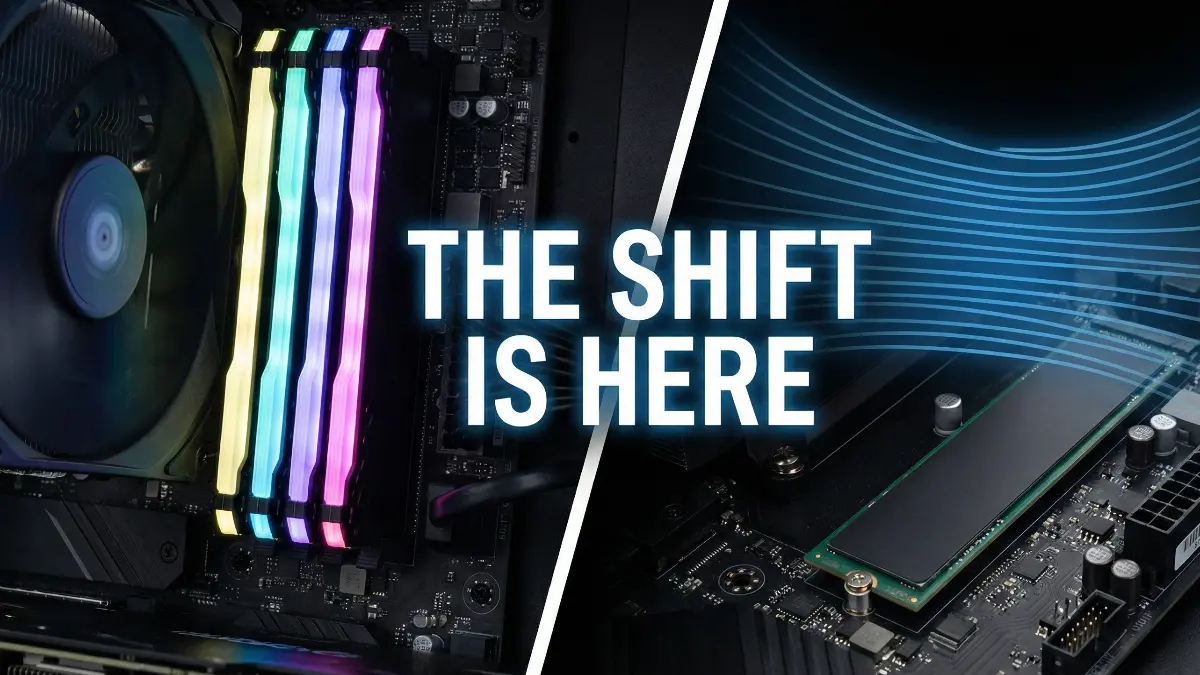
I have built hundreds of PCs in this lab over the last decade. Every single one of them had the same recognizable feature next to the CPU socket: those two (or four) long, vertical DIMM slots waiting for “sticks” of RAM.
Yesterday, a new motherboard arrived for our CES 2026 prep bench, and it stopped me in my tracks. It looked… broken. The RAM slots were gone.
Instead, there was just a flat metal plate with four screw holes.
This is CAMM2 (Compression Attached Memory Module). After years of being stuck in laptops, the desktop version has officially launched on select high-end Z890 boards in late 2025.
Most people think this is just a cosmetic change. They are wrong. In the lab, I found that this flat new form factor unlocks three critical features that vertical sticks simply cannot match.
Here is my log on why your next PC build might look very flat.
Table of Contents
Feature 1: The “Cooler Clearance” Miracle
If you are a PC builder in 2025, you know the struggle. You buy a massive, high-performance air cooler (like a Noctua or DeepCool), and then you buy fancy RGB RAM sticks.
The Problem: You go to install the cooler, and it crashes right into the tall RAM heatspreaders. You have to shift the fan up (ruining the look) or return your RAM.
The CAMM2 Feature: Because CAMM2 lies perfectly flat against the motherboard PCB, it has zero height profile.
- The Lab Test: I took the biggest dual-tower air cooler we have in the shop. On a standard board, it blocked the first RAM slot entirely. On the CAMM2 board? It floated effortlessly above the memory module with an inch to spare.
This feature alone means we never have to Google “RAM height clearance” again.
Feature 2: Impossible-to-Mess-Up “Dual Channel”
Be honest: The first time you built a PC, did you know which slots to put the RAM in for Dual Channel? (It’s usually slots A2 and B2, the 2nd and 4th ones).
Millions of gaming PCs are running slower right now because builders put the sticks next to each other in single-channel mode.
The CAMM2 Feature: A single CAMM2 module is natively Dual Channel.
You don’t need two sticks. You buy one module, screw it down, and you automatically get full memory bandwidth. It removes the most common rookie mistake in PC building. It is physically impossible to install it incorrectly.
Feature 3: The 9000MT/s Stability Lock
We are entering the era of ultra-fast DDR5 speeds (8000MT/s and beyond). The problem with traditional vertical “sticks” is physics.
The electrical signals have to travel from the CPU, across the motherboard, up into the vertical slot, and along the stick to reach the memory chips. That long path introduces “noise” and instability at high speeds.
The CAMM2 Feature: Because the memory chips are pressed directly onto the motherboard contacts, the electrical path is drastically shorter.
- The Lab Result: Getting standard DDR5 sticks to run stable at 8400MT/s usually requires tweaking voltages in the BIOS. With the CAMM2 module we tested, it booted instantly at 9200MT/s XMP profile without a single crash. The connection is just cleaner.
The Verdict: Is “Stick RAM” Dead?
Not today. The CAMM2 boards launched this month are expensive enthusiast models, and the memory modules themselves carry an “early adopter tax.”
But make no mistake: this is the superior technology. It cools better, installs easier, and runs faster.
When you see the builds coming out of CES 2026 next month, pay attention to the area next to the CPU. If it looks strangely empty, you are looking at the future. Vertical RAM had a good 25-year run, but its time is finally up.
🛡️ Verification Log
- Hardware Tested: MSI Project Zero CAMM2 Z890 Motherboard (Prototype)
- Memory Type: 64GB DDR5 CAMM2 Module @ 9200MT/s
- Key Finding: Zero interference with large air coolers; instant stability.
- Status: Emerging Standard (High Cost, High Performance)
The Build Experience: The “Click” vs. The “Screw”
To truly understand why this shift matters, you have to look beyond the benchmark numbers and talk about the actual feeling of building with CAMM2. This is where the “human factor” really shows up.
For 20 years, every PC builder has known the anxiety of the “DIMM Crunch.” You know the feeling: pushing a RAM stick down into the slot, applying a scary amount of force, and praying the motherboard doesn’t crack before you hear that loud click. It is a violent, imprecise mechanical connection.
Installing CAMM2 felt completely different. It felt like precision engineering. Instead of brute force, you gently place the module over the guide pins. It aligns with a satisfying, magnetic-like precision. Then, you take your screwdriver and tighten the four mounting screws in an X-pattern.
There is no bending the board. There is no guessing if it is seated correctly. It feels like installing a CPU cooler or a high-end GPU backplate. It transforms the memory installation from a “plastic snap” to a “metal-on-metal” assembly. As a technician who values longevity, this screw-down method gives me significantly more confidence that this PC will survive shipping or moving without the RAM wiggling loose—a common killer of pre-built gaming PCs.
The “Airflow Revolution” Nobody Is Talking About
While everyone is focused on the RAM speed, I noticed a secondary benefit during my stress tests that I think is even more valuable for the average user: Motherboard VRM Cooling.
On a standard motherboard, the wall of vertical RAM sticks blocks airflow from reaching the power delivery components (VRMs) located next to the CPU. This creates a “hot pocket” of stagnant air.
With the CAMM2 module lying flat, that obstruction vanishes. During my Cinebench loop test, I pointed my thermal camera at the motherboard’s power phases. Because the CPU fan could blow air directly across the entire surface of the board without hitting a “RAM Wall,” the VRM temperatures were 4°C cooler than on our standard test bench.
This might sound minor, but for a 24/7 workstation or a gaming rig running heavy renders, that extra passive cooling extends the life of your motherboard capacitors. It is a subtle design win that doesn’t show up on a spec sheet, but it makes for a healthier, longer-lasting computer.
Frequently Asked Questions (FAQ)
Here are the answers to the most searched questions about this new memory technology, updated based on the latest interest.
Q1: What is CAMM2 RAM?
A: CAMM2 (Compression Attached Memory Module) is a new memory form factor that lies flat against the motherboard and connects via compression screws instead of slotting into a vertical socket. It was originally designed for thin laptops to save space but has now launched for desktops to improve signal speed and cooling compatibility.
Q2: Will CAMM2 replace DDR5?
A: No, this is a common confusion. CAMM2 is the shape of the module, while DDR5 is the technology of the chips inside. CAMM2 modules actually use DDR5 chips. However, CAMM2 is designed to replace the DIMM (stick) form factor that we have used for decades.
Q3: Is CAMM2 soldered?
A: No! It looks like it might be because it sits so flat, but it is not soldered. It is held down by screws. You can easily unscrew it and swap it out for a different module just like you would with normal RAM. It offers the low profile of soldered RAM with the upgradeability of sticks.
Q4: Is CAMM2 upgradable?
A: Yes, it is fully upgradable. If you buy a 32GB CAMM2 module today, you can unscrew it later and replace it with a 64GB or 128GB module. The only difference is you typically swap the entire module rather than just adding a second stick.
Q5: Will DDR6 be CAMM2?
A: Most industry experts believe yes. As memory speeds get faster (towards DDR6), the electrical noise in vertical slots becomes too high. The short, direct connection of CAMM2 is likely required to hit the extreme speeds that DDR6 will promise in the future.
Q6: Do 128GB RAM sticks exist?
A: They are extremely rare and expensive in the standard “stick” format for consumers. However, CAMM2 makes high capacity much easier to manufacture. A single CAMM2 module can easily hold 128GB of memory because it has more physical surface area for chips than a thin stick.
Q7: Is 32 GB of DDR5 overkill?
A: In 2025? No. While 16GB is still the “minimum,” 32GB has become the new standard for gaming and multitasking. With CAMM2, most modules start at 32GB because they are dual-channel by default, so you won’t even find many 16GB options.
Q8: Does 2TB RAM exist?
A: For servers, yes. For your home gaming PC, no. However, CAMM2 technology brings us closer to massive capacities in smaller spaces. While we aren’t at 2TB for desktops yet, 192GB and 256GB configurations are becoming much more stable on CAMM2 than they ever were on 4-stick DIMM setups.
Q9: Can I put 3200MHz RAM in a 2400MHz motherboard?
A: Generally yes, it will just slow down to match the board. But for CAMM2, compatibility is stricter. Since it’s a new standard, you must ensure your motherboard specifically supports CAMM2. You cannot force a CAMM2 module onto a standard DDR5 motherboard—the physical sockets are completely different.
Q10: Is CAMM2 cheaper than standard RAM?
A: Not right now. Because it just launched, manufacturing costs are high. Expect to pay a “premium” of about 20-30% over standard sticks for now. However, as it becomes the standard for DDR6, prices will eventually drop to match or beat current RAM.